

Race day, handled.
Today knows when you race. On race day it opens on the race: forecast, what’s on the car, your numbers and one button to log a pass.
Race day moves fast. So does this.
0:44Read the words
Race day moves fast. Your phone should keep up.
On race day, the Today screen switches to race mode: your car, your next pass setup, your last run, and the air. The rest gets out of the way.
DragData calls your ET: the most likely number, a range, and what's pushing it, like thinner air or even a headwind.
Our Before you race section gives you a short brief: what's different from last time, and what's worth a look before you stage.
The Best in air like this shows your quickest clean pass in air like right now.
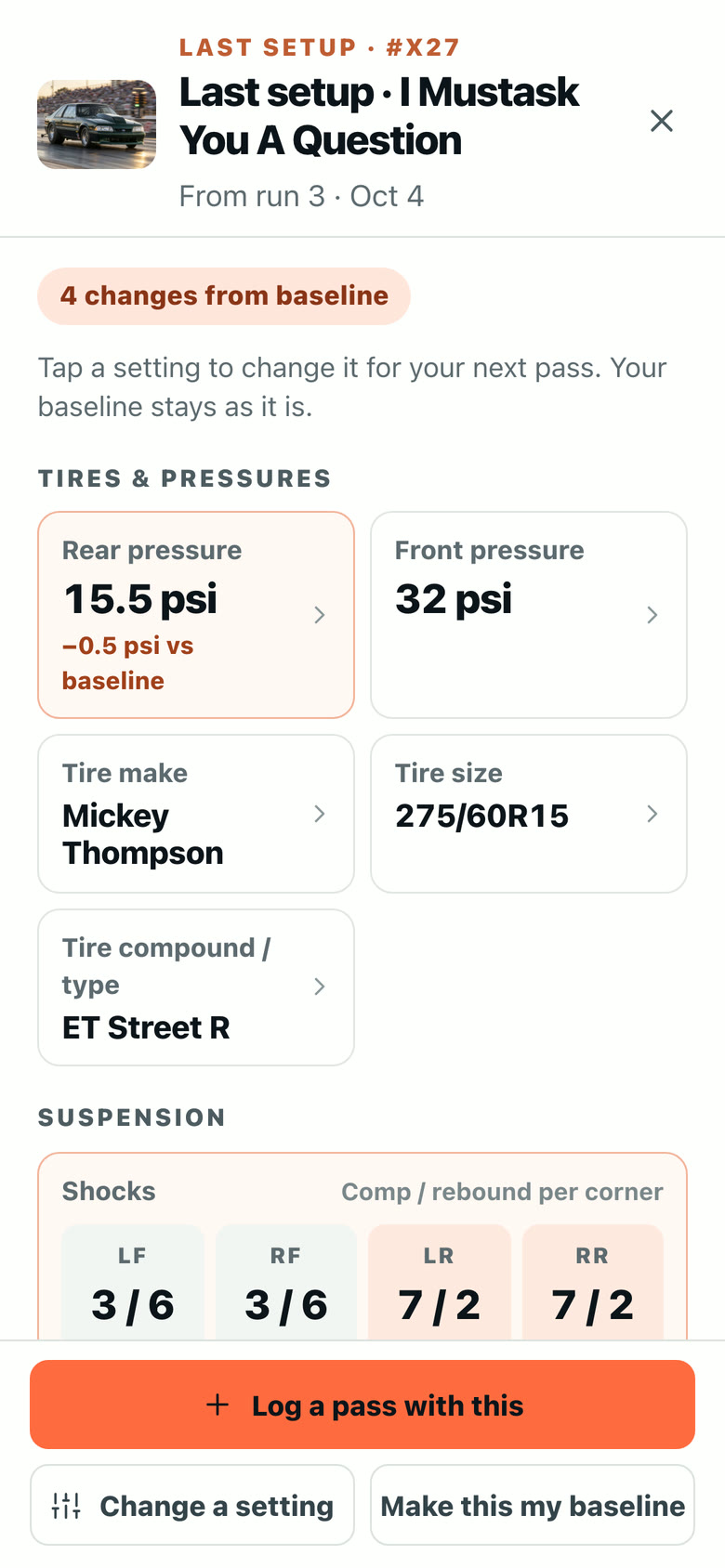
One tap, and the setup's back on the car.
Everything you need between rounds, right on the Today screen.
No service in the lanes? Keep logging.
0:30Read the words
No service in the staging lanes? It happens at a lot of tracks.
Keep logging. Snap the slip, change the setup, check the Today screen.
It all syncs automatically when you're back in cell range.
Help works with no signal, too. Tap the question mark on any screen.
Your iPhone, your iPad, your computer: the same cars and passes on all three.
No signal. No problem.
Day-of dashboard for quick access
Your next race, the forecast, what’s on the car and your best numbers. Log a pass between rounds, then get back in line.
- Smart dashboard knows when you race
- Offline? No signal? No worries. Syncs when you’re able.

One screen for race day.
The race, the forecast, what’s on the car and your numbers, on the laptop in the trailer and the phone in your pocket.


The details, lap by lap.
Smart dashboard knows when you race
Before a race, Today shows it coming up with the forecast and a link to check your baseline. On race day it’s all about that race. A couple of days after, it still shows the race so you can add passes. The rest of the time, it’s about your car: its best ET, best MPH and latest numbers.
Log a pass between rounds
One tap from Today: snap the slip or type the numbers, and it saves with the setup and the weather. Then get back in line.
Races that run more than one day
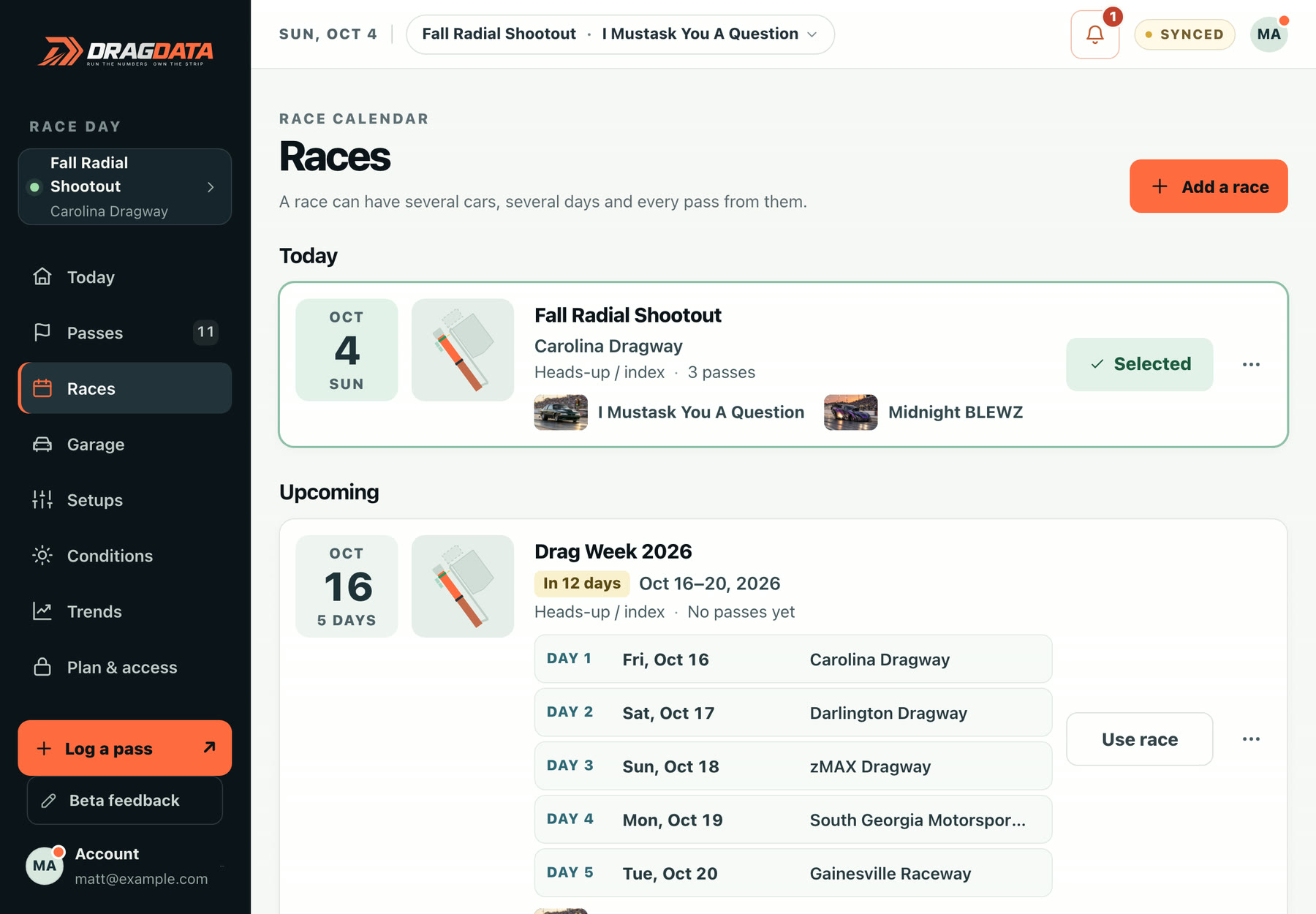
Sick Week, a drag-and-drive or a weekend race: give each day its date and track. Today shows “Day 3 of 5” with that track’s forecast, and your race best counts every day.
Offline? No signal? No worries.
Lanes and pits are dead zones. Keep logging: your passes wait on your phone, tablet or computer and sync when you’re able.
Make it yours
Hide the sections you don’t use and put the ones you do in your order. Today remembers it on every device.


Straight answers.
Is there an app?
DragData installs from your browser onto your phone’s home screen, a tablet or a computer, and opens like an app.
More than one car at the race?
Pick which ones are racing. Today shows each one’s numbers, and you switch with one tap.
Next up on the ladder.

Get in the LANE
Stop losing your data, your slips, your rank. Store your information like a professional.
