

Mount it. Lock it. Race.
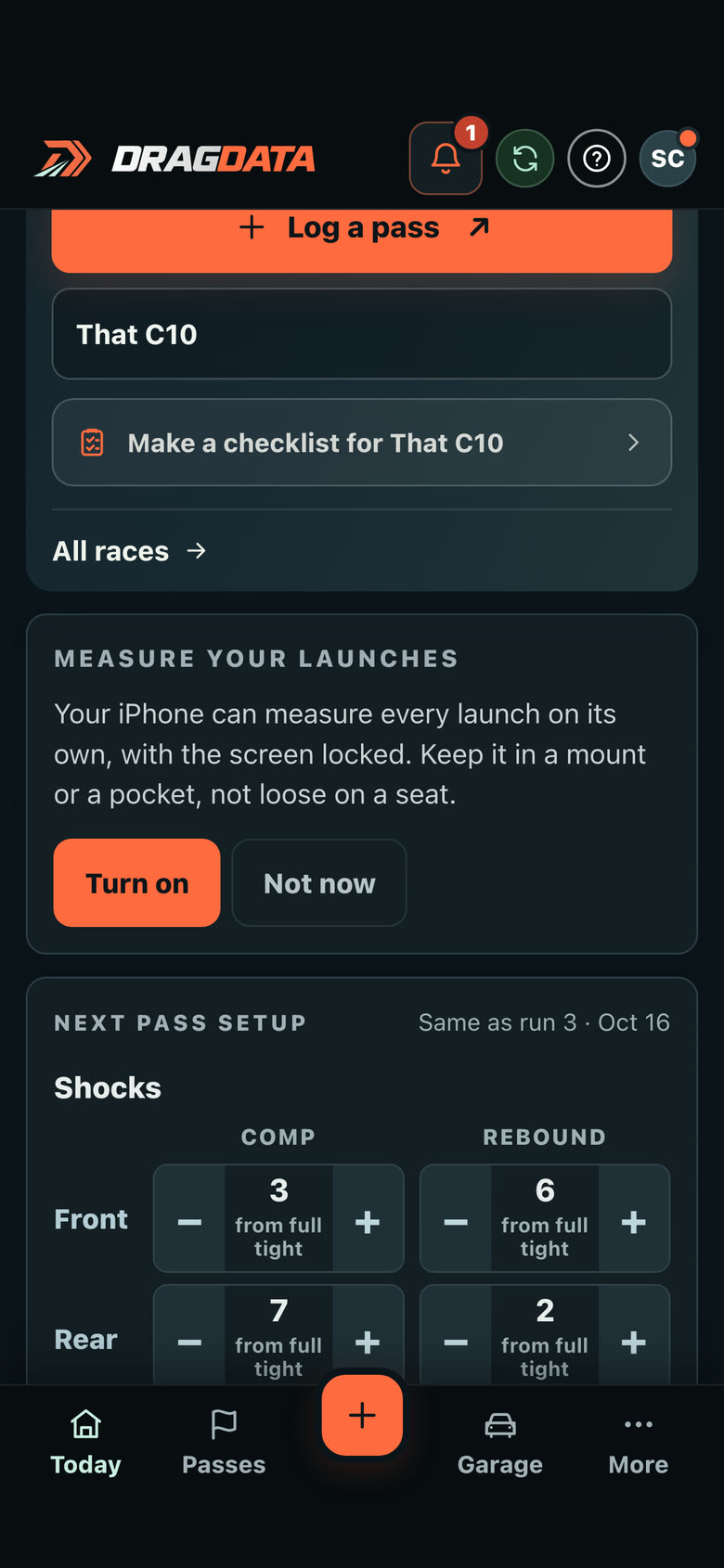
Turn it on once from the Today screen. On race day your iPhone catches each launch on its own, and after the pass it’s right there with your numbers. iPhone only for now.
Your iPhone measures every launch.
0:46Read the words
Every launch, measured. Right from your iPhone.
Just enable it from the Today screen.
Mount your phone securely, or keep it in your pocket. It even works with the screen locked.
On race day, it catches every launch on its own.
After the pass, your launch is waiting on the Today screen, and right on the pass, side by side with your slip.
Add your launch videos, and play any two passes side by side.
Want even more? Check out DragTag, now in early beta.
DragData. Measure every launch.
Your iPhone catches every launch.
Turn it on from the Today screen, then just race. Keep the phone in a mount or a pocket, screen locked. After the pass, the launch is on the Today screen and on the pass, marked iPhone. iPhone only for now.
- No tap in the lanes
- Only race-day launches leave your phone
- Your slip’s 60-foot marked on the launch
On the Today screen, then on the pass.
The newest launch on the Today screen, marked iPhone. Then the same launch on its pass, against the last one.


The details, lap by lap.
Turn it on once
The Today screen asks once. Tap Turn on under Measure your launches, and you’re set. Changed your mind? Turn it off any time in Settings, under Measure launches with this iPhone.
Mount it or pocket it
Mount your phone securely, or keep it in your pocket. The screen can stay locked.
Race. No taps.
Open DragData when you get to the track, then lock the phone and race. Each launch is caught on its own, with nothing to tap in the lanes.
There after the pass
Open DragData after the pass and the launch is on the Today screen as Last launch, in g. Log the pass and it lands there too, with your slip’s 60-foot, 330 and finish marked on its curve.
- Line it up with your last pass or your best
- Share makes a card to post
- Each car’s launches in the Garage
Race days only
Only launches from a day you race leave your phone. Hard driving on the street stays on it and is gone in three days.
Want more? DragTag.
DragTag is our own sensor, in early beta and not for sale yet. It attaches to your car, and you check the weather and the air right on the track. Each launch says what measured it, iPhone or DragTag.
See DragTag

Straight answers.
Does it work on Android?
Not yet. Measuring launches is iPhone only for now.
Does the screen have to stay on?
No. It works with the screen locked, in a mount or a pocket.
Are my launches public?
Only if you say so. Show my launches is off until you turn it on, and Keep my times private hides it too.
Do I need a DragTag?
No. Your iPhone measures launches today, with nothing to buy. DragTag attaches to your car, for racers who want even more.
Next up on the ladder.


Get in the LANE
Stop losing your data, your slips, your rank. Store your information like a professional.
