

Know the air before you stage.
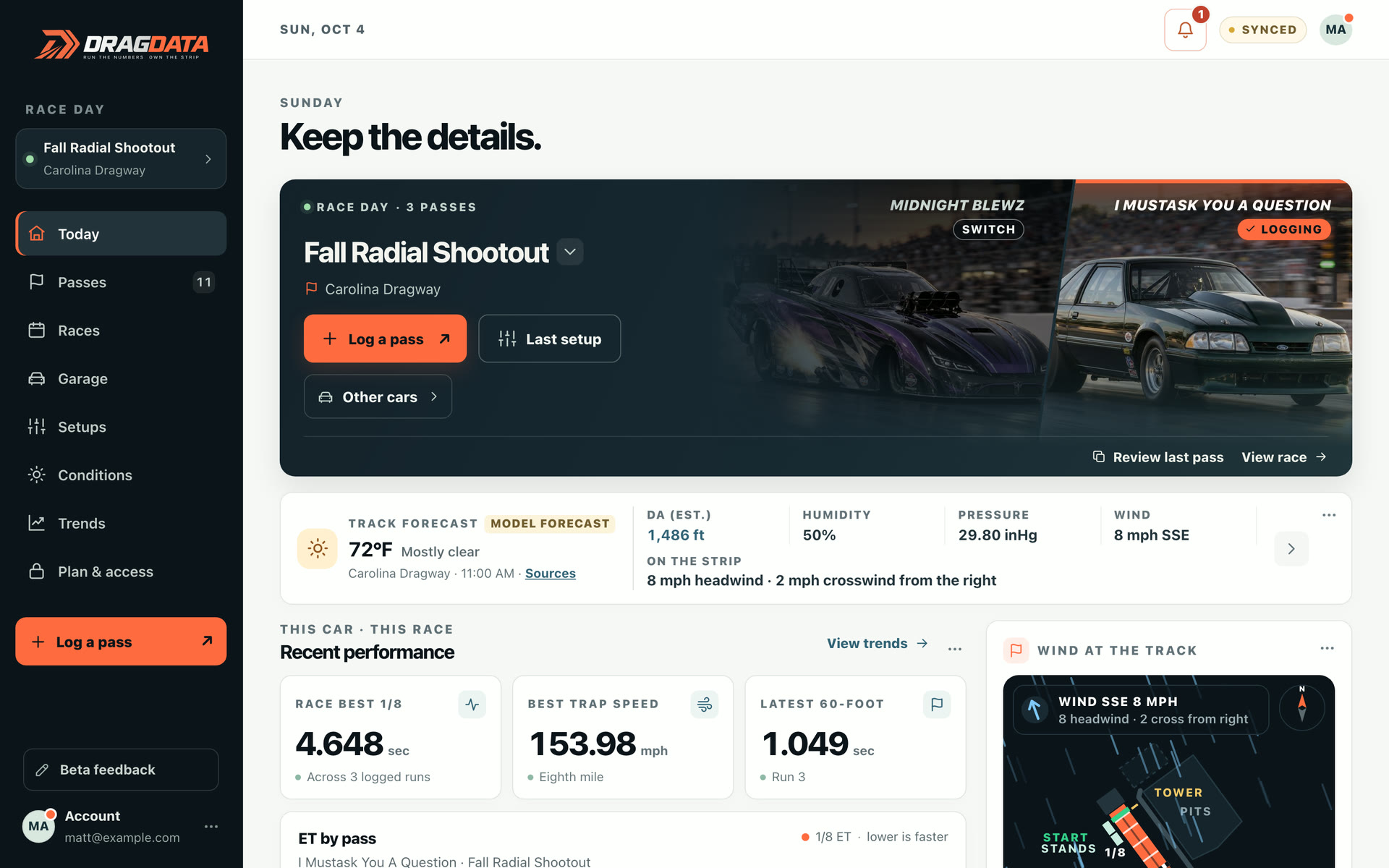
The forecast for the strip you’re racing, density altitude for race time, and the wind down the track: headwind or tailwind, and which side it pushes from.
Weather at the strip, not the airport.
0:36Read the words
Your weather app shows the airport, but you race at the strip.
The Weather screen shows the air at your track: density altitude, with temperature and pressure behind it.
Water grains, and the wind at the track. Headwind or tailwind, and which side it pushes from.
Hour by hour throughout the night, so you know when the best air is yet to come.
The night before, you get a heads-up with tomorrow's temperature and density altitude.
Got your own Kestrel readings? They always win over the forecast.
Know the air before you stage.
The weather at your track, not the nearest town.
See the forecast for the strip you’re racing. Density altitude, humidity and pressure, plus the wind down the track: headwind or tailwind, and which side it pushes from.
- Density altitude (DA) at race time, not just today
- Wind & direction overlay on map
- Kestrel or imported weather data always wins
The air, hour by hour, at your strip.
Density altitude through the evening, the best air still to come, and the wind down the track.


The details, lap by lap.
Forecast for race time
Add a race at a listed track and its forecast opens about two weeks out: temperature, humidity, pressure and density altitude (DA) for the hour you race, not just today.
Wind on the strip
Pinned tracks get a map of the strip, and the wind forecast reads like “7 mph headwind · 3 mph crosswind from the left”, drawn on that map.
Weather on every pass
Every pass keeps the conditions it ran in. Imported slips get historical weather for their date and track, so old passes line up with new ones.
- Kestrel or imported weather data always wins
- Then weather you typed, then historical, then the forecast
- Each number says where it came from
Your Kestrel, hands-free
Turn your Kestrel on before the first hit and keep it close, in your pocket or a crew member’s hand. Open DragData near the meter and every pass gets the reading closest to its slip time, marked as measured at your track.
- Set the meter to save a reading every 10 seconds, with steps in the app
- A crew member’s phone can fill in your passes too
- Live readings on Weather and in Log a pass
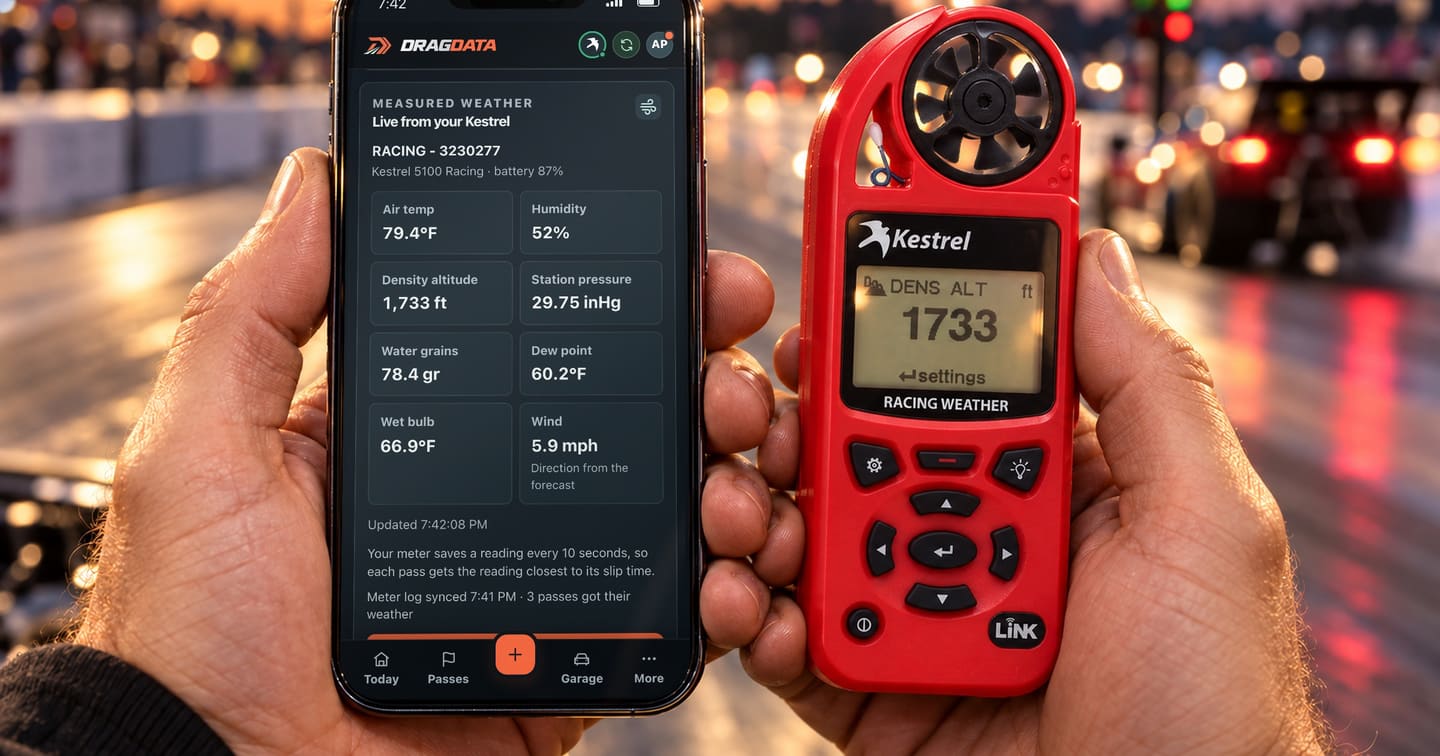
Your Kestrel, brought in
Export your Kestrel LiNK log and bring it in. DragData puts each reading with the pass it belongs to.


Straight answers.
Where does the forecast come from?
DragData’s own race-day weather engine works it out for the exact spot your strip sits on. It’s an estimate, so a reading from your own meter always takes priority.
My track isn’t listed. Can I still get weather?
Yes. Add the track’s location to your race and the forecast works there too.
Which Kestrel meters work?
The Kestrel 5100 Racing and other Kestrel meters with LiNK Bluetooth, in the DragData iPhone and Android apps, coming soon to the App Store and Google Play.
Does my phone have to stay connected all day?
No. The meter saves its own readings. Open DragData near it later that day and your passes catch up.
Next up on the ladder.


Get in the LANE
Stop losing your data, your slips, your rank. Store your information like a professional.
